Appraisers
Carry more files without losing track of any of them.
- Pipeline view across every open claim
- Documents, photos and estimates on the file
- Invoice and collect without a second system
- Recovery rates by carrier and contractor
For appraisers, umpires, estimators & contractors
Right now a single claim is probably living in seven different places. The Claim King brings all of it together — documents, deadlines and dollars on one record, from the first meeting with the client through the award and invoicing.
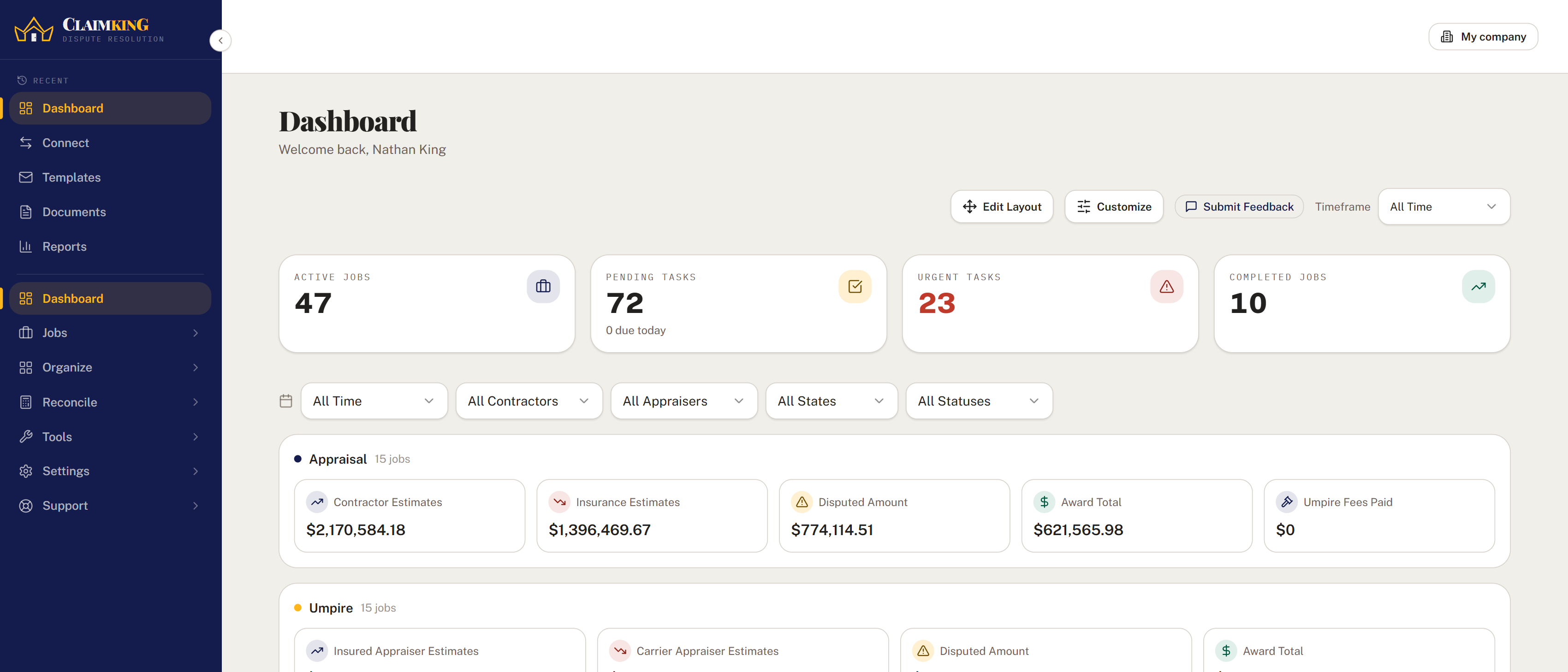
The platform
Most of the firms we have worked with hold a claim together with an inbox, a shared drive and a spreadsheet. Here's what replaces all three.
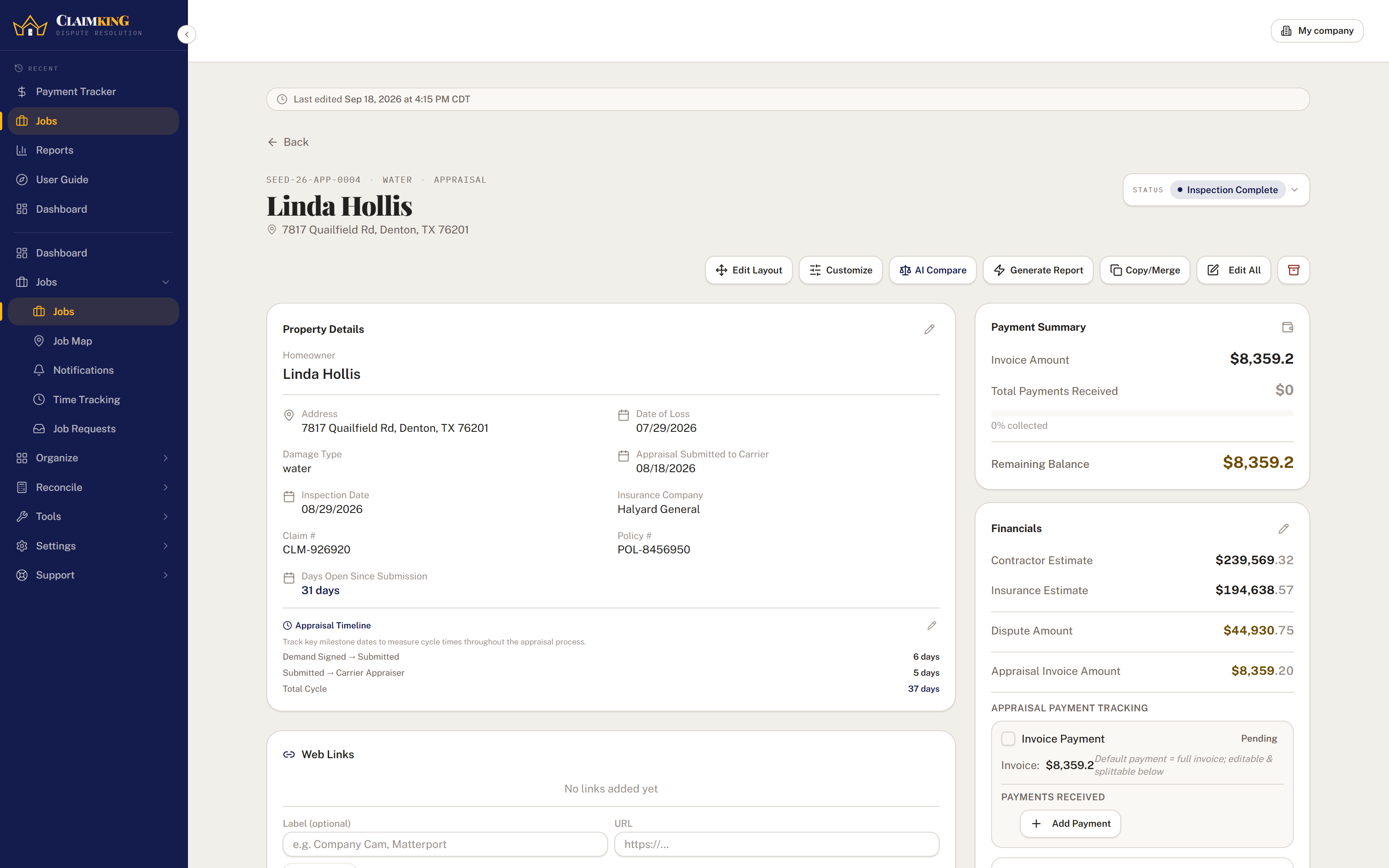
Claim files
The homeowner, the carrier, both estimates, every lifecycle date, all fourteen documents and the open tasks — on one page. Pick a job role and the fields adapt to the work.
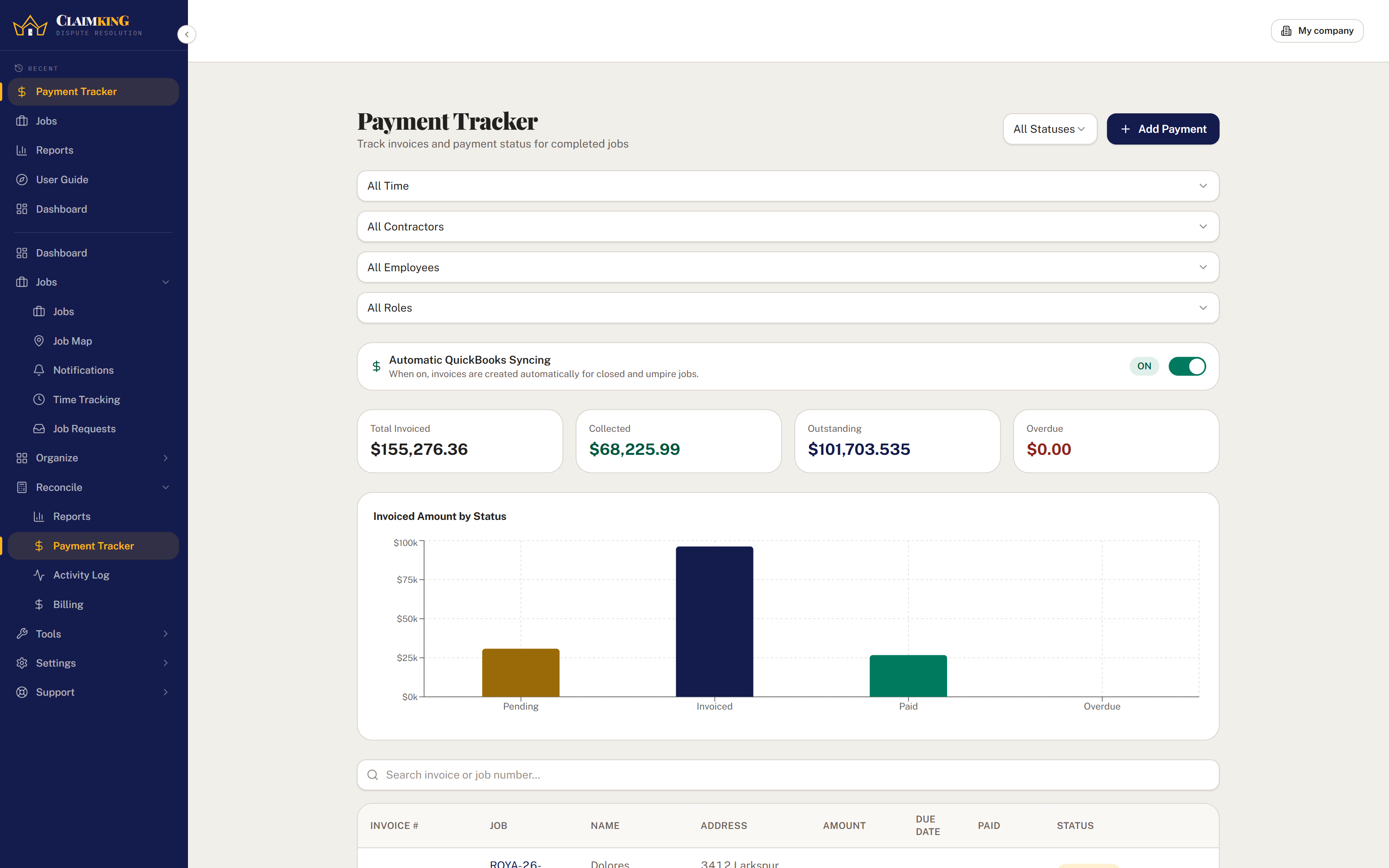
Financials & invoicing
Invoice, collect, pay out and expense — the whole financial life of a claim in one panel. Umpire files split the fee between insured and carrier and track each side on its own.
Reports & insights
Thirteen report views come built in — workflow trends, dispute overview, carrier trends, contractor performance, appraiser insights, cycle metrics, invoice status, a tax summary for the accountant and a custom builder.
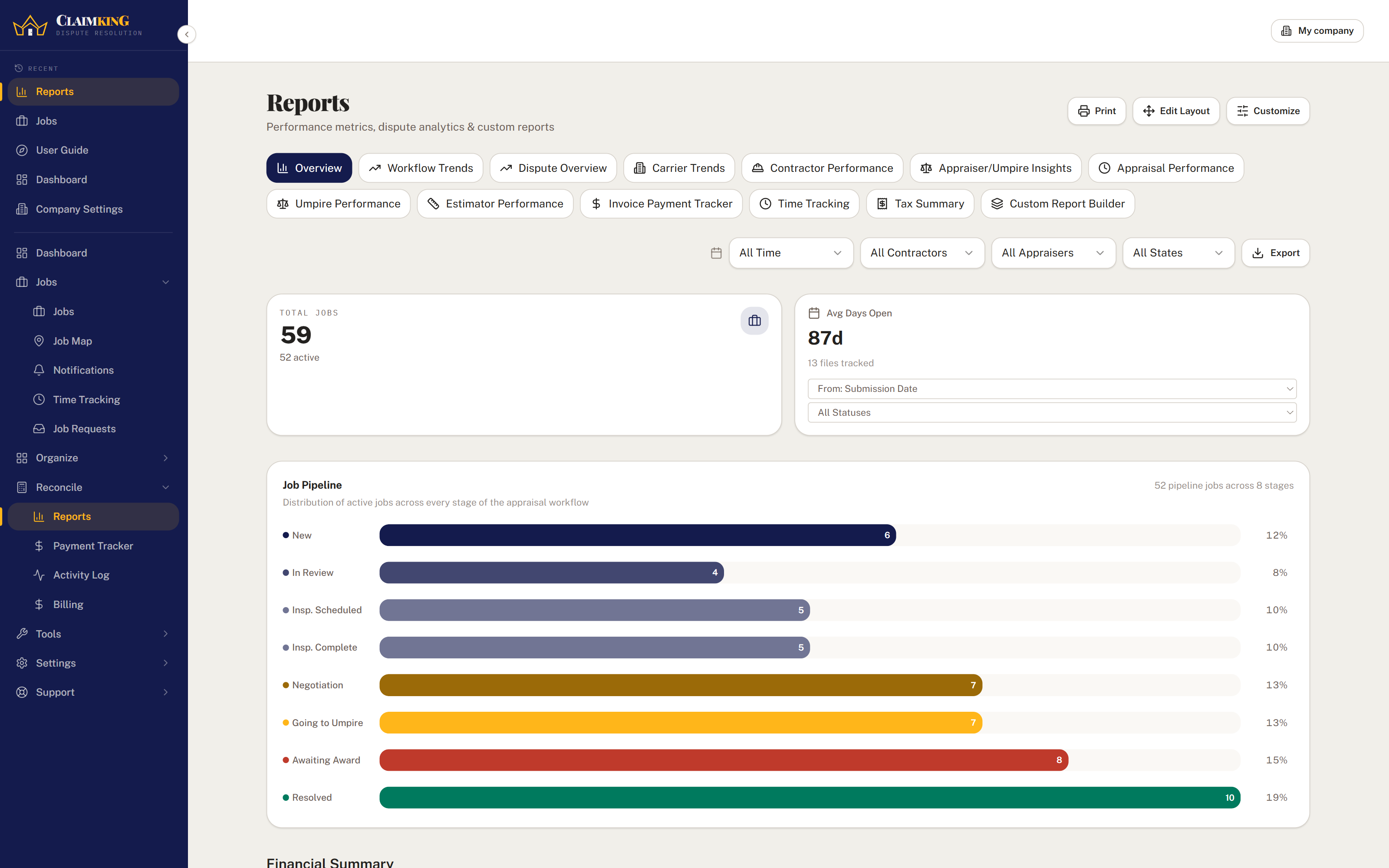
Where everything stands
Every claim moves through the same ten stages, so you can always tell exactly where each one of them stands. At umpire and awaiting award are picked out in gold, because those are the two stages where the outcome of the file actually gets decided.
Who it's for
The same claim looks different depending on which side of it you sit on. The fields, milestones and permissions change to match.
Carry more files without losing track of any of them.
Neutral files, clean records, and a fee split that adds up.
A portal that shows the jobs they are working on for you, and nothing else.
Write the estimate, track the file, get paid for it.
Claim King Connect
Connect links your company with the appraisers, umpires, estimators and contractors you work with. Send an assignment and a mirror job appears on their side — then shared fields stay in sync both ways.
AI tools
Three tools that read through your claim files so you do not have to. None of them are live yet, so what follows is what we are building rather than anything you can use today.
Integrations
Invoices out, payments back, on a schedule.
Reading exports for comparison and rebuilding, once the estimate tools land.
Single sign-on for your whole team.
Subscription billing and the customer portal.
Security & control
Claim files hold homeowner details, carrier correspondence and settlement figures, so access is controlled at every level.
Owners, company admins, employees and contractors each see only what their role permits — down to individual areas of the product.
Every record is scoped to your company. Connected firms see only the specific assignments you send them.
Activity and access logs record every edit, so you can always show exactly what happened on a file and when.
Your claims and contacts export to CSV whenever you want them. No lock-in, no export fee.
Included
No feature tiers, and no per-assignment fees.
Inspections, deadlines and appointments across the whole team.
Billable hours per claim, rolled into a summary report.
Create tasks automatically when a claim field changes.
Every claim plotted on a map, so you can plan a route around the ones you need to visit.
Homeowners, adjusters, appraisers, contractors and insurers.
Bring claims in from a spreadsheet, export any filtered list to CSV.
In-app and email alerts for the changes that matter to you.
Reusable email and report layouts with claim variables filled in.
Questions
Setup is built to be done in an afternoon. Onboarding walks you through your company profile, file settings and team invitations, and if your claims live in a spreadsheet today, the import tool brings them in.
Yes. Import claims from a CSV and export any filtered list back out at any time. Contacts import the same way, with a preview showing which records are new and which already exist so you don't create duplicates.
An owner manages billing and can grant ownership to others. Company admins manage users, claims and settings. Employees see the claims and tasks assigned to them. Contractors get a self-service portal limited to their own jobs. Permissions can be tuned per person, per area.
Not to get started. Claim King Core is complete on its own, and QuickBooks sync is included in it. Connect matters if you send or receive assignments from other firms, and the packs matter once you outgrow the 5 employee or 10 client portal accounts Core includes.
Get started
Thirty days free. Bring one file over this afternoon and see how it feels.